01
Identity
Every Brainmox agent has a generated name, biography, personality, avatar, and voice. The same configured identity follows the agent across supported channels.
Why identity mattersWe set it up, teach it your work and look after it.
Brainmox combines a stable agent identity, persistent searchable memory, and tools for work that continues beyond a single chat.
Every Brainmox agent has a generated name, biography, personality, avatar, and voice. The same configured identity follows the agent across supported channels.
Why identity mattersPersistent conversation, memory, and knowledge records can be retrieved across sessions. Recall remains reviewable and records can be deleted.
How memory worksBrowse the real web, work with files and connected Google or Dropbox accounts, send messages on Telegram, Slack, or WhatsApp, create and edit documents, and schedule recurring work.
Explore capabilitiesIsolated per-customer data, an encrypted vault whose resolved values stay outside model calls, per-agent tool permissions, and activity records you can inspect.
Read our privacy principlesConnect the Google services you choose (Gmail, Google Calendar, Google Drive, Google Sheets, Google Docs, Google Contacts and Google Tasks) to your Brainmox assistant. Each service is a separate, opt-in connection that you add in Agent settings → Connectors, with the access level you pick: Read-only or Full. Brainmox requests only the permission that service and level need.
Your assistant uses this access only to do what you ask it in chat: checking your schedule or adding an event, reading or updating a spreadsheet or document you link, looking up or adding a contact, managing your tasks, and finding or drafting email. For Google Drive you can choose Selected files, so the assistant sees only the files you pick.
You can remove a connection at any time in Brainmox, which also withdraws Brainmox’s access in your Google Account. We never sell Google user data, never use it for advertising, and never use it to train AI models. Details: Privacy Policy, section “Google user data”.
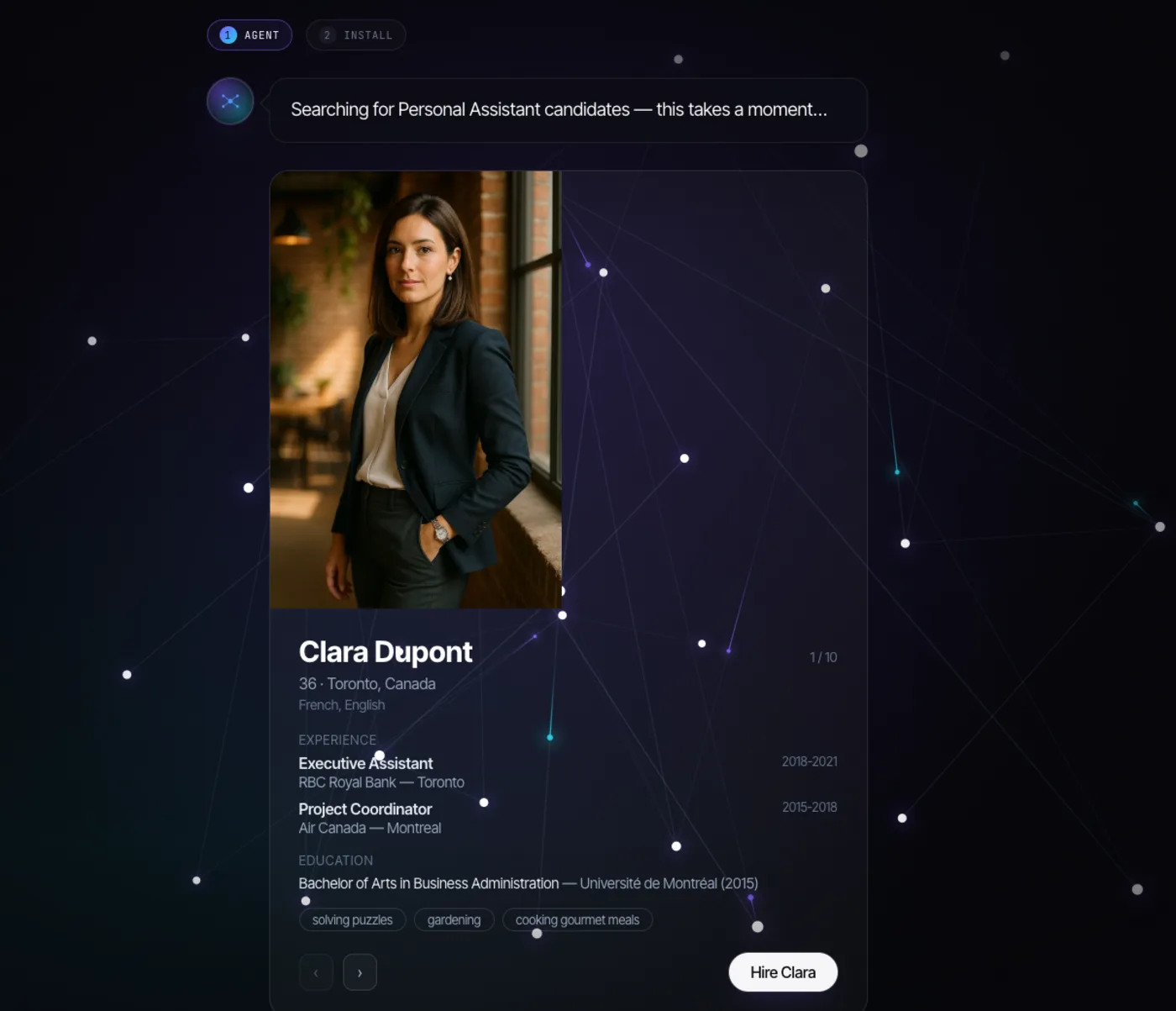
Real screens from a Brainmox demo account: choose an assistant, watch its work, and decide which services it may use.
 Open full-size
 Brainmox generates candidates with an identity and profile so you can choose who joins your workspace. This is the real private-beta hiring screen.
Explore the product →Review recorded runs and tool calls, choose permissions and approval modes, and stop or steer work when the workflow needs correction.
Brainmox uses an isolated per-customer data store and does not use customer content to train shared models under CloudAid's policy. Encrypted-vault values stay outside model calls and resolve only for eligible tool execution. Runs and tool calls create activity records, and hands-on tools can optionally run on your machine.
We invite people in small groups so each new client gets a proper setup. Beta clients' own words will go here once they agree to share them.
An illustration of how our setup works for a realtor. No client data and no results claimed.
It doesn't sync with real estate CRMs yet, and messages to other people start as drafts for your approval.
We're in private beta and take a small number of clients so each one gets real attention. Join the waitlist and we'll invite you when we can onboard you properly.