
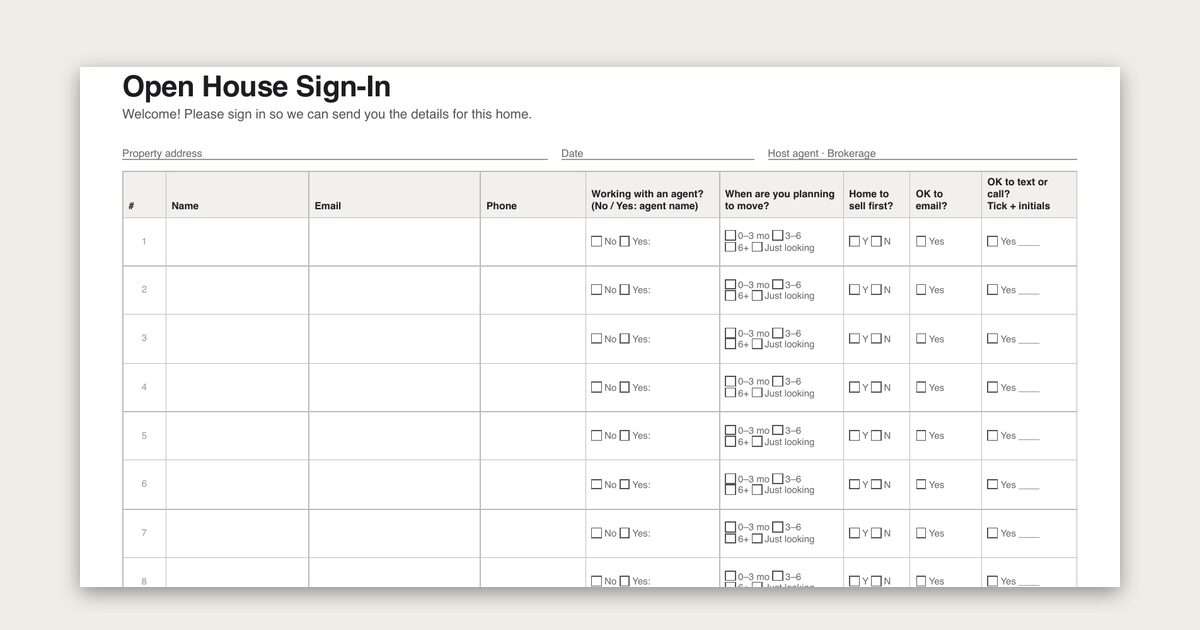
An open house sign-in sheet records who came through the door and how they agreed to be contacted. A good one asks for a name, an email address and a phone number. It also asks whether the visitor already works with an agent, when they plan to move, and has separate tick boxes for email and for texts. Download ours below, then use the plan further down to follow up within 24 hours.
Download the sign-in sheet (free, no signup)
- Printable sign-in sheet, 10 visitors per page (PDF): US Letter, landscape
- Private sign-in cards, 2 per page (PDF): one visitor per card, so nobody reads the row above theirs
- Editable sign-in sheet (Word): add your name, brokerage and property address
- Spreadsheet template (CSV): import into Google Sheets or Excel for a tablet at the door
- Filled example with fictional visitors (CSV): shows how the columns are used for follow-up
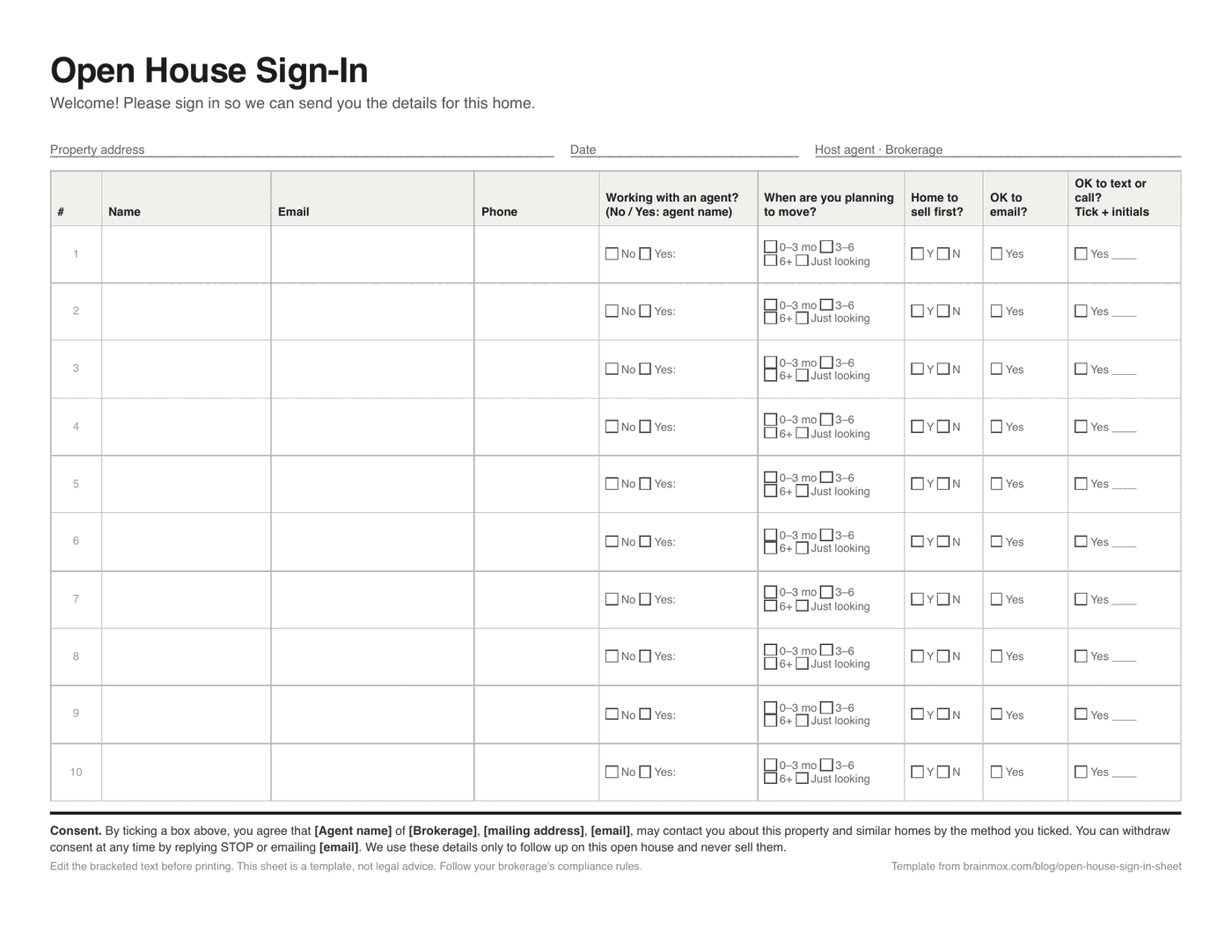
Before you print, fill in the header and the consent line with your own name, brokerage, mailing address and contact email. The consent wording only works if it names who will contact the visitor.
What to include on an open house sign-in sheet
Every field should earn its place. A visitor standing in a stranger’s hallway will fill in about six boxes. Leave out anything you won’t use in your follow-up.
| Field | Why it's there | Keep it? |
|---|---|---|
| Name | Who to follow up with | Required |
| Thank-you note and any listing details they asked for | Required | |
| Phone | For visitors who'd rather talk than read email | Optional for the visitor |
| Working with an agent? (No / Yes, name) | Tells you whether to follow up directly or through their agent | Required |
| Timeline (0–3 months, 3–6, 6+, just looking) | Decides who you call first | Recommended |
| Home to sell first? (Yes / No) | Flags a possible listing conversation | Recommended |
| OK to email? tick box | Separate, unticked consent for email updates | Required |
| OK to text or call? tick box + initials | Separate consent for texts and calls (see below) | Required |
| Agent notes (yours, not theirs) | Rooms they lingered in, questions they asked | Fill in right after they leave |
Two things make this sheet more useful than a plain guest list. The agent question keeps you out of someone else’s client relationship. The timeline question means you can sort the list the evening of the open house instead of calling everyone in the order they signed.
Questions to leave off the sheet
Don’t ask about family size, children, age, marital status, religion, national origin, disability or anything else tied to a protected characteristic. That includes friendly questions like “How many kids do you have?” or “Which church are you near?”. In the US, the Fair Housing Act covers these. In Canada, provincial human rights codes cover similar ground. A question you can’t act on is a question you shouldn’t collect.
Skip these too: income, credit score, the visitor’s current address (unless they’re a seller lead and offer it), and any free-text “Tell us about yourself” box. You don’t need them to follow up, and every extra field is personal information you’re then responsible for.
Consent wording for email and text follow-up
The bottom of our sheet carries a short consent line. Edit it before printing:
By ticking a box above, you agree that [Agent name] of [Brokerage], [mailing address], [email], may contact you about this property and similar homes by the method you ticked. You can withdraw consent at any time by replying STOP or emailing [email].
Why it’s written that way:
- Canada (CASL). A request for express consent should say why you’ll contact people and who is asking, with a mailing address and a phone number, email or website. It should also say that consent can be withdrawn. Pre-ticked boxes don’t count. That’s why the boxes start empty and the line names you.
- US email (CAN-SPAM). Marketing email doesn’t need prior consent, but every message needs a working unsubscribe and your physical address. The tick box still helps, because it tells you who actually wants updates.
- US texts (TCPA). Marketing texts sent through an automated texting platform generally need prior express written consent from the person, which is why the text box asks for initials. Ask your brokerage what its texting tool requires.
This is a practical summary, not legal advice. Your brokerage’s compliance rules and your provincial or state regulator come first. Keep the signed sheets, or the CSV export, for as long as you rely on that consent.
Paper sheet, private cards or a tablet?
| Question | Paper sheet (10 per page) | Private cards (1 per card) | Tablet with the CSV / a form |
|---|---|---|---|
| Visitor privacy | Weak: later visitors can read earlier rows | Good: each card goes into a folder | Good, if the screen resets between visitors |
| Setup | Print and clipboard | Print, cut, pen | Charged device and a form or Google Sheet (turn on offline mode in case of weak Wi-Fi) |
| Legibility | Handwriting | Handwriting | Typed |
| Getting it into your inbox or CRM | Retype it that evening | Retype it that evening | Already digital |
| Best for | Quick, busy weekends | Higher-end listings, privacy-conscious areas | Agents who follow up the same night |
If you use the paper sheet, keep a blank sheet of paper over the completed rows. It’s a small thing that visitors notice.
Running the sign-in at the door
- Greet first, clipboard second. Introduce yourself, hand over the listing sheet, then ask them to sign in “so I can send you the details and any price changes.”
- Ask the agent question out loud. “Are you working with an agent?” is easier to answer in person than on paper, and the answer changes your follow-up.
- Check the writing while they’re still there. An unreadable email address is a lost visitor. Read it back if you can’t tell a “u” from a “v”.
- Don’t push the tick boxes. Visitors who decline still came. Note what they asked about, and respect the no.
- Write your notes after each group leaves. Five words (“loved yard, asked about taxes”) is enough to write a personal follow-up later.
From sign-in sheet to follow-up in 24 hours
Sort the list that evening: anyone with no agent and a 0–3 month timeline first, then sellers, then everyone else. Visitors who said they’re working with an agent get a thank-you at most. Any further contact goes through their agent.
| When | Who | What |
|---|---|---|
| Same evening | Everyone who ticked "OK to email" | Short thank-you, the listing details, one sentence about something they mentioned |
| Next morning | No agent, 0–3 months, ticked "OK to text or call" | A call or text: "Any questions after seeing it? Want to see two similar homes this week?" |
| Day 2–3 | "Home to sell first?" = Yes | Offer a quick value estimate conversation, not a pitch |
| Day 7 | Everyone who ticked email, not yet replied | One check-in with any price change or new similar listings |
| After that | Only visitors who replied or asked for updates | Normal follow-up. Stop when they ask you to |
The filled example CSV shows five fictional visitors sorted this way, with a “next step” column. If someone goes quiet after your first follow-up, our follow-up email after no response examples cover the second and third message.
Let an AI agent draft the follow-ups
The slow part of an open house isn’t the sign-in. It’s turning twelve rows of handwriting into twelve personal emails that evening. With Brainmox, you give your agent the photo of the sheet or the CSV export and ask it to draft one email per visitor in your Gmail, using your notes. Tell it to skip anyone who didn’t tick the email box, and check names and addresses against the sheet before you send. With draft-only Gmail access, your agent can save drafts but can’t send them: you review and send each one yourself. Brainmox doesn’t sync with real estate CRMs yet, so the sheet or CSV is the source. See how the Gmail draft workflow works, or read how setup works for realtors.
FAQ
Is an open house sign-in sheet required?
Generally, no law requires visitors to sign in. Many brokerages ask agents to use one for safety and for a record of who was in the home, so check your brokerage policy. Visitors can decline, and you can still let them in.
Can I add everyone on my sign-in sheet to my newsletter?
Only the visitors who agreed to it. Under CASL in Canada, you need consent before sending commercial email. In the US, CAN-SPAM requires a working unsubscribe and your physical address in every marketing email. A separate “OK to email” tick box makes the answer clear for each visitor.
What if a visitor is already working with an agent?
Note the agent’s name and don’t solicit them as a client. For REALTORS® in the US, Article 16 of the NAR Code of Ethics covers this. In Canada, check your provincial regulator’s rules. A thank-you and an offer to pass details through their agent is enough.
Should I use a digital open house sign-in app instead?
A tablet saves retyping and keeps each visitor’s details private. Paper never runs out of battery and some visitors trust it more. Our CSV template works for either: import it into Google Sheets for a tablet, or use it to type up the paper sheets.
How long should I keep the sign-in sheets?
Keep them for as long as you rely on the consent they record, plus whatever your brokerage’s record-keeping policy requires. Store them like any other client file, not in the car.